Tone Generator Audio Test Tone Generator
Create audio test tones on Windows, Mac or Pocket PC
Tone Generator is a sine wave generator, frequency generator and signal generator that lets you create audio test tones, sweeps or noise waveforms using your computer or a PDA handheld. The full features list of this tone generator software follows but if you have any doubt about its suitability a quick way to test it is to simply download and install it.
You don't need to purchase to download and it only takes a couple of minutes to complete.
Typical Applications
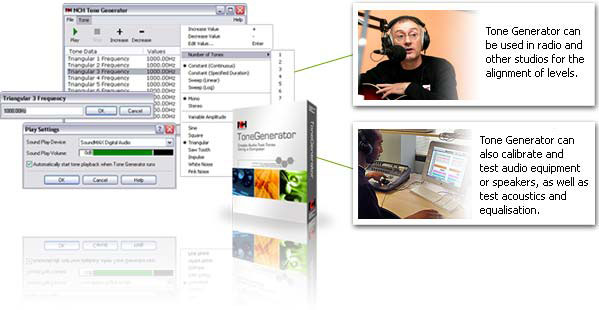
- Generation of test tones in radio and other studios for the alignment of levels.
- Calibration and testing of audio equipment or speakers.
- Tuning music instruments as an accurate reference tone.
- Demonstration of audio principles to students.
- Acoustics testing and equalisation.
- Quality control and testing of sound cards.
- White noise generator
- Audio band signalling.
- Hearing tests (under suitable medical supervision).
Features
- Generate sine wave, square wave, triangular waveform, saw tooth waveform, impulse, white noise and pink noise.
- Supports frequencies from 1Hz to 22kHz bandwidth (subject to sound card).
- Multiple simultaneous tones (1 to 16 tones can be created at the same time) (useful to create harmonics).
- Mono or separate stereo operation (ideal to create dual tones or 'beats').
- Tone Sweeps (Log or Linear).
- Plays tone or saves as wav file.
|
Get It Now
Purchase Masters
Not What Your Looking For?
WavePad Sound Editing
Software features the ability
to create and edit mp3 files
for use as Ring Tones.
More Info | Try it Free Now!
|
|
|
See more Audio Test Tone Generator screenshots >>>
System Requirements
| Windows |
Mac OSx |
Palm PC |
Pocket PC |
- Windows 2000/XP/2003/Vista/2008 & Windows 7
- For earlier Windows versions (98, ME) please click here
- Sound Card
|
|
- Palm OS5.0 or above
- Sound Support
|
- Windows CE
- Windows CE 4 or later (Pocket PC 2003, Smartphone 2003, Windows Mobile 5, Windows Mobile 6)
- Support for Sound Playback
|
Download Audio Test Tone Generator
Installation Guide
| Windows Version: |
Once download is complete, run the file which will automatically setup the software. The complete manual is included. Once you have run the setup file, select the Help Content item from the menu for a guide to using the application. |
| Mac OSX Version: |
Download the dmg file, double click on it to mount it. Open it and copy Tone Generator to your desktop. |
| Pocket PC Version: |
- Windows Users: Save the file to your hard drive. Once downloading is complete, run the file and it will automatically queue the application for installation next time you run activesync (or Windows Mobile Desktop).
- Other Users: Download ptg.zip to your harddrive and zip. This will unzip the CAB files needed to be installed to your handheld. Read unixinstall.rft for installation notes.
|
| Palm Version: |
HotSync Quick Installer should automatically upload and install ToneGen.prc. If required also install MathLib.prc. |
|