|
|
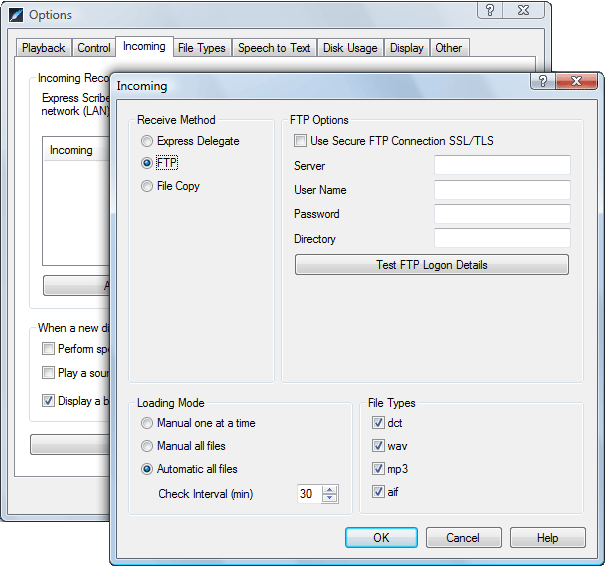
Express ScribeTutorial 3: Discover Advanced FeaturesFeature 1: Automatic LoadingSet up your Express Scribe program to automatically download files from a remote FTP server on the Internet, from Express Delegate Dictation Workflow server or from a folder on your local network. For more information see the Help Manual. You can view the manual at any time pressing F1 key or selecting Help Contents from the Help menu on Express Scribe.
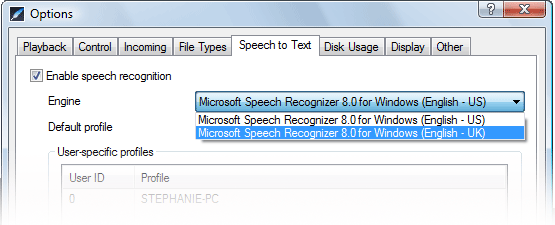
Feature 2: Speech to TextExpress Scribe can convert audio to text using default Microsoft speech engines or a proprietary engine such as Dragon Naturally Speaking.
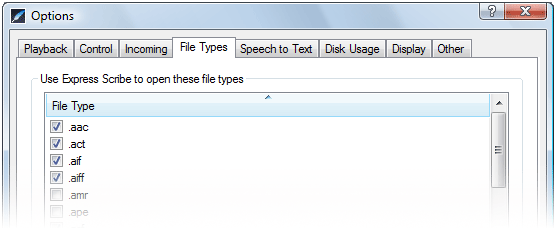
Feature 3: File Types
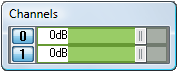
Feature 4: ChannelsWhen audio is recorded in stereo you are able to decrease the volume of each channel to increase the clarity of the audio you are transcribing. The Channels display will appear automatically when an audio file is selected in the Dictation list view.
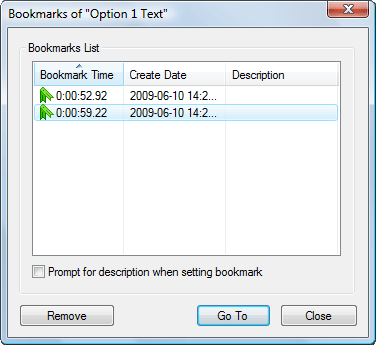
Feature 5: BookmarksYou can easily mark certain points in an audio file to reference later or quickly jump to. To set a bookmark you can either use Ctrl+B or select the option from the Bookmark menu. Navigate your bookmarks using your keyboard: Ctrl+Left arrow for Previous, Ctrl+Right arrow for Next.
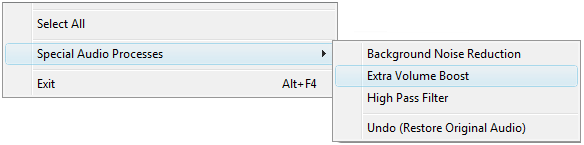
Feature 6: Special Audio ProcessingExpress Scribe includes special audio processing tools to help clarify some audio recordings if they are of low quality. These options can be found from the File menu.
Express Scribe is ideal for playback of recordings created with Express Dictate or Pocket Dictate. See www.nch.com.au/express and www.nch.com.au/pocket or nearly any other dictation and voice recorder. Remember that for more information on these features and others there is a comprehensive Help Manual. You can view the manual at any time pressing F1 key or selecting Help Contents from the Help menu on Express Scribe. Support is also available from Express Scribe Support and Express Scribe FAQs You have now finished the NCH Express Scribe Tutorial |