|
|
 | Home | Screenshots | Support | Products |
Pocket Dictate Mobile Dictation RecorderDictate and send recordings from Android or iPhonePocket Dictate is a voice recorder for iPhone. Dictate directly on your phone, then tap send and the recorded dictation will be compressed, encrypted and sent to your typist by email automatically.
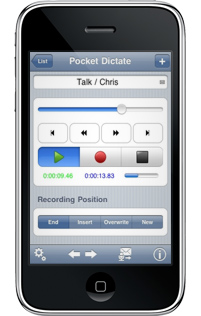 Pocket Dictate is for your mobile device, however Express Dictate is also available for Mac and Windows desktop computers. Mobile Dictation App Features
Download Pocket Dictate Voice Recorder | iPhone Dictation RecorderDictation App Features Download Now - for iPhone / iPad - for Android - for Kindle Screenshots Questions (FAQs) Technical Support Related Dictation SoftwareTranscription Player Computer Digital Dictation Web Dictation Telephone Dictation Typing Expander More Dictation Software... More NCH iPhone Apps... |