NCH Software Home
Home | Download | Support | Products | SiteMap

SoundTap Streaming Audio Recorder

Record audio playing through your computer in pure digital

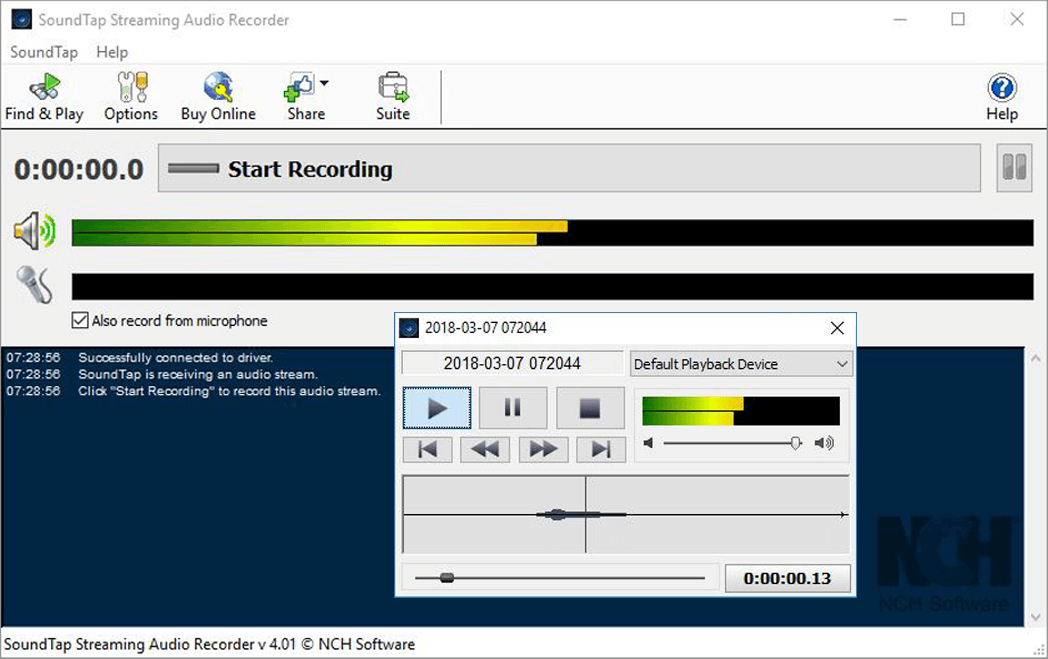
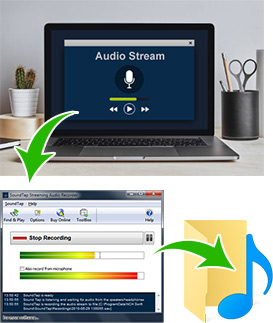
SoundTap is a streaming audio capture program which will convert audio playing through your computer to mp3 or wav files. Audio is recorded by a virtual driver directly within the kernel so the process is perfect digital quality.

Typical Streaming Audio Recorder Applications
  • Record your internet radio station webcasts. Radio stations are required to log and archive all broadcasts under FCC regulations.
  • Save your streaming audio broadcasts. eg. If you are using BroadWave to broadcast your band, SoundTap can record and archive the broadcasts. These broadcasts can then be edited with WavePad.
  • Convert your recordings in old or uncommon formats to wav or mp3. eg. if you have a voice recording in ds2 format you can convert this to mp3 using SoundTap and the existing ds2 player.
  • Record streaming audio conferences. eg. SoundTap works perfectly to record conferences hosted with our Quorum Conference Server.
  • Record VoIP phone calls on softphones (eg. Skype or Express Talk). In a call center this is often required for legal or quality assurance reasons.

Download Application Get It Now Purchase SoundTap

* SoundTap complies with Microsoft's DRM signed driver model and will not record streams if a DRM player is used and if the stream is marked as DRM copy-protected.

Click here for more SoundTap Streaming Audio Recording Software Screenshots

More Streaming Audio Recording screenshots >>>

Features

  • Records audio played on your computer in direct digital with no loss of quality.
  • Saves files in wav or mp3 format with a wide range of selected codec and compression options.
  • You can select to either listen while you record streaming audio or save audio silently.
  • Provides automatic recovery from broken audio streams.
  • Features the ability to pause and resume recording.
  • Ability to record and mix microphone input to capture both sides when recording a VoIP or Conference conversation (optional).
  • Search recordings by date, time, duration or format.
  • Streams can be recorded directly to the VRS Recording System for enterprise database system use.
  • Works with all popular media players (eg. Windows Media Player, Real Audio, QuickTime) and softphones (eg. Skype, eyeBeam, Express Talk).
  • Directly links to the WavePad Sound Editor Software so you can edit the files you have recorded.
  • Directly links to the Switch Mp3 File Converter Software so you can convert the files from mp3 to over 20 other file formats.

Streaming Audio Recorder


Features
System Requirements
Download Now
- for Windows
- for Mac Intel
- for Mac PPC
Screenshots
Questions (FAQs)
Technical Support
Pricing & Purchase

Related Software


Audio Editing Software
Audio Streaming Server
Voice Recording Software
Call Recording Software
Automatic Dialing Software
Sound Recording Software
CD Ripper
Sound File Converter
Ringtone Software
MP3 Converter Software
More MP3 Software
Text-to-Speech
More Audio Software...

Recommended Hardware


Computer Microphones
Computer Headsets
System Requirements
  • Windows 2000**/XP/Vista/2008++
  • Mac OS X 10.4 and above.
** For technical reasons Windows 2000 only supports recording what you play not the input side (for, for example call recording). Windows XP and Vista/2008 supports both.
++ Windows Vista 64 Bit is not supported.
Download SoundTap Streaming Audio Recorder KeyWords
 
Useful links

Download SoundTap
Questions (FAQs)
Technical Support
Make a suggestion
Report a bug

Related Software

Audio Editing Software
Audio File Converter
Audio Streaming Server
Voice Recording Software
More Software...

Top | Privacy | Legal | Home
© NCH Software