Home | Download | Purchase | Support | Products | SiteMap  

MSRS Conference and Court Recording System

Multiple channel voice recorder

Free Download of MSRS Conference and Court Recording System
     Download MSRS Conference and Court Recording System   Download MSRS
Free Demo Version
     Purchase MSRS Conference and Court Recording System   Buy MSRS
Professional Version
MSRS is a powerful multiple channel voice recorder program designed for recording conferences, committee meetings, court proceedings and similar multi-speaker forums.

MSRS has the ability to record up to 32 separate audio channel inputs to a single audio file in the dct format or to multiple files for each channel in mp3, wav or dct file formats. It also allows you to send the recordings for transcription or archiving using FTP, email or a computer network.

A quick way to try MSRS out and see if it is suitable for your requirements is to download and install now. You don't need to purchase to download and it only takes a couple of minutes to complete the process (click here to install). After you have tested MSRS and found it to be suitable, you can purchase a installation license (click here to purchase).

Multiple Separate Source. MSRS has been designed to record many channels from the same room. For a recorder that is more suited to recording from separate sources you should consider using the VRS Recording System.

Automatic / Voice Activated / 24/7 Recording. MSRS is designed to be started and stopped manually (or using the API) and to run for limited periods of time (ie. for a specific conference or hearing). However if you want to record automatically (eg. voice or hardware activated) or to record continuously (eg. 24 hours a day) you should use the VRS Recording System.
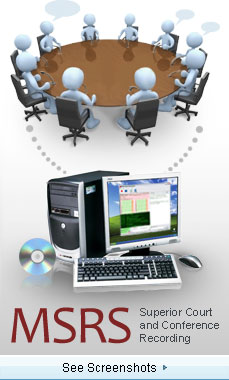

Click here to see more of the MSRS Conference and Court Recording System  
Features
  • Records 1 to 32 channels simultaneously.
  • Digital audio recording with superb signal processing quality.
  • Transmits the recordings for transcription or archiving using FTP, email or computer network.
  • Break recordings at preset time intervals to maintain managable file size.
  • Sends the recordings as it continues to record with overlapped file breaks at preset intervals.
  • Allows a stenographer or secretary to timestamp bookmarks with notes that are sent with the recording to a typist who can view them in Express Scribe
  • Confidence monitor lets you listen to a copy of the audio in real time whilst it is being recorded so you know there are no problems.
  • Record to wav, mp3 or dct formats (only dct supports full multichannel recording to one file, encryption and notes).
  • Find and Play option allows you to sort recordings by name, date created and size and search audio by keyword.
  • Automatic notification if an error occurs with recording.
  • Password security can be set for file deletion, sending, record or stop and more.
  • Integrates with Express Burn to record audio to CD/DVD or Blu-ray dics.
  • Robust design and simple interface for fail-safe but user-friendly day to day operation.


MSRS
Introduction
Features
System Requirements
Download Now
Pricing and Purchase
SDK
Questions (FAQs)
Technical Support
 
 
Languages
auf Deutsch
 
 
Related Software
Transcription Player
Multichannel Call Recorder
Dictation Recorder
Pocket Dictate
Phone Dictation
Phone Conference Server
CD/DVD Burner
More Audio Software
More Dictation Software
More Recording Software
 
 
Recommended Hardware
Headsets
Microphones
Sound Cards
 
System Requirements
  • Windows 95/NT4/98/2000/Me/XP/2003/Vista.
  • 300Mhz or above plus 100Mhz for each additional channel.
  • Memory: 32MB RAM (95/NT4/98), 64MB (2000/XP) or 256MB for 2003
  • Sound Card: Either a standard stereo sound card (for 1 or 2 channels) or, for 3 or more channels, a multichannel sound card.
If you want to use MSRS to record telephone conferences or calls you need a call record interface. However if you are looking to record calls, please compare the VRS Recording System www.nch.com.au/vrs to record multiple lines automatically.

Download
MSRS can be downloaded by clicking on the following link. Once downloading is complete, run the file msrsetup.exe. The setup file will automatically install the software. The complete manual is included. Once you have run the setup file, select the Help -> Help Contents menu item for a guide to using MSRS.

Purchase and Registration
You must purchase (register) a license to use the MSRS Recording software for each installation. For more information about purchasing a license, including current pricing, please see: MSRS license pricing and purchasing page.
Express Scribe
The person who transcribes the MSRS recordings must also install Express Scribe (which is free) to unpack and decode the audio. Express Scribe also features foot pedal control and variable speed playback to assist with transcription.

Once download is complete run the file "essetup.exe" to install the Express Scribe.


Related Software

Express Dictate
(Digital & Dictation Recording )

Express Dictate is a computer based voice recorder that works like a dictaphone. It lets you use your PC or Mac to send dictation to your typist by email, internet or over the computer network.

Web Dictate
(Online Dictation Software)

For Express Dictate users who are on the go, Web Dictate is a great alternative. All you need is access to a computer and an internet connection. Dictations can be recorded, edited and sent over the internet to your typist. Web Dictate can be downloaded by clicking on this link:

DialDictate
(Telephone Dictation System)

DialDictate is an advance telephone IVR application where you can dictate using the telephone both from outside your office (eg. on your cell phone) or within your office (eg. from a cordless headset). Dial Dictate supports 1 - 32 telephone lines or extensions at the same time.

Express Delegate
(Dictation File Management Software)

Express Delegate will manage files created by multiple users of Express Dictate, DialDictate or the MSRS to send the recordings automatically or manually to multiple typists using Express Scribe.


More Information...
For more information see:
   © NCH Software Top | Privacy | Legal | Home